

 III
III
Put a Lander on Its Own Domain
Show one Lander Upload at its own domain, like mybrand.com, with no slug.
This page shows you how to give one Lander Upload a domain of its own, so it opens at an address like mybrand.com with no slug.
Use it when an upload is a complete website, or when you want the shortest possible address to share.
How it differs from a page domain
| Added in Page Settings | Added on a Lander Upload | |
|---|---|---|
| Shows | All your Lander Uploads | Only that upload |
| Address | pages.yourbrand.com/roofing-lander | mybrand.com |
Before you start
The upload needs a home page named index.html or index.htm at its top level, not in a folder. It is the page people see when they open the domain. Without it, Proferex will not connect the domain and asks you to add one first.
The upload also has to be Ready. One that is still processing cannot take a domain yet.
Connect a domain
Go to Landing Pages → Lander Uploads, open the upload's ⋯ menu, and choose Domains.
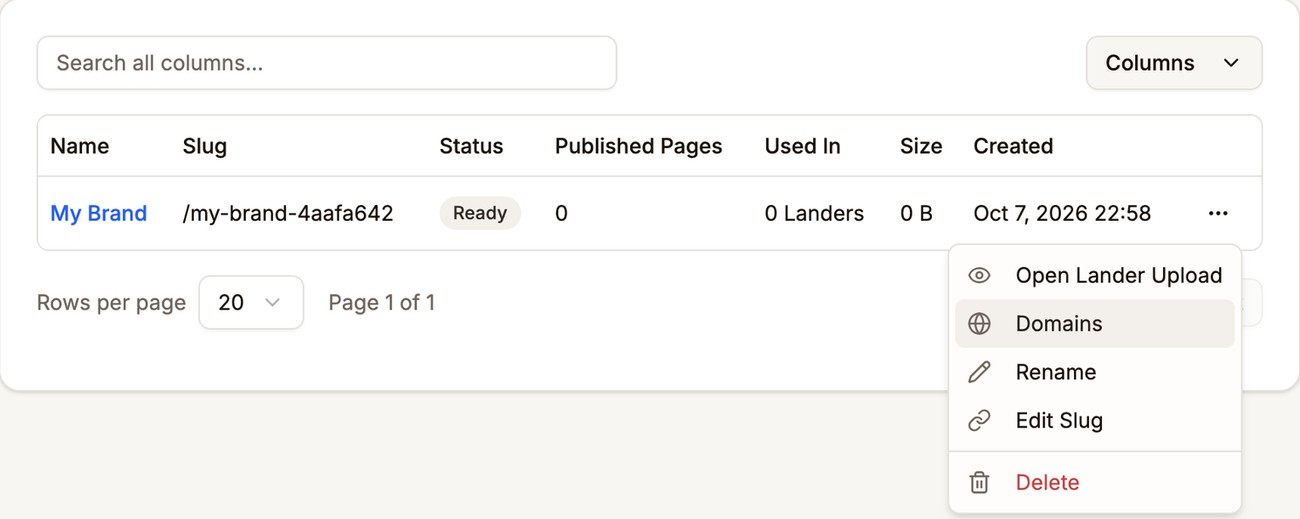
Open Domains from the upload's menu Type your domain and click Add Domain. It can be a subdomain such as
lander.mybrand.comor a root domain such asmybrand.com.Add the DNS records shown at your domain provider, CNAME first. Some TXT records only appear once the CNAME is in place.
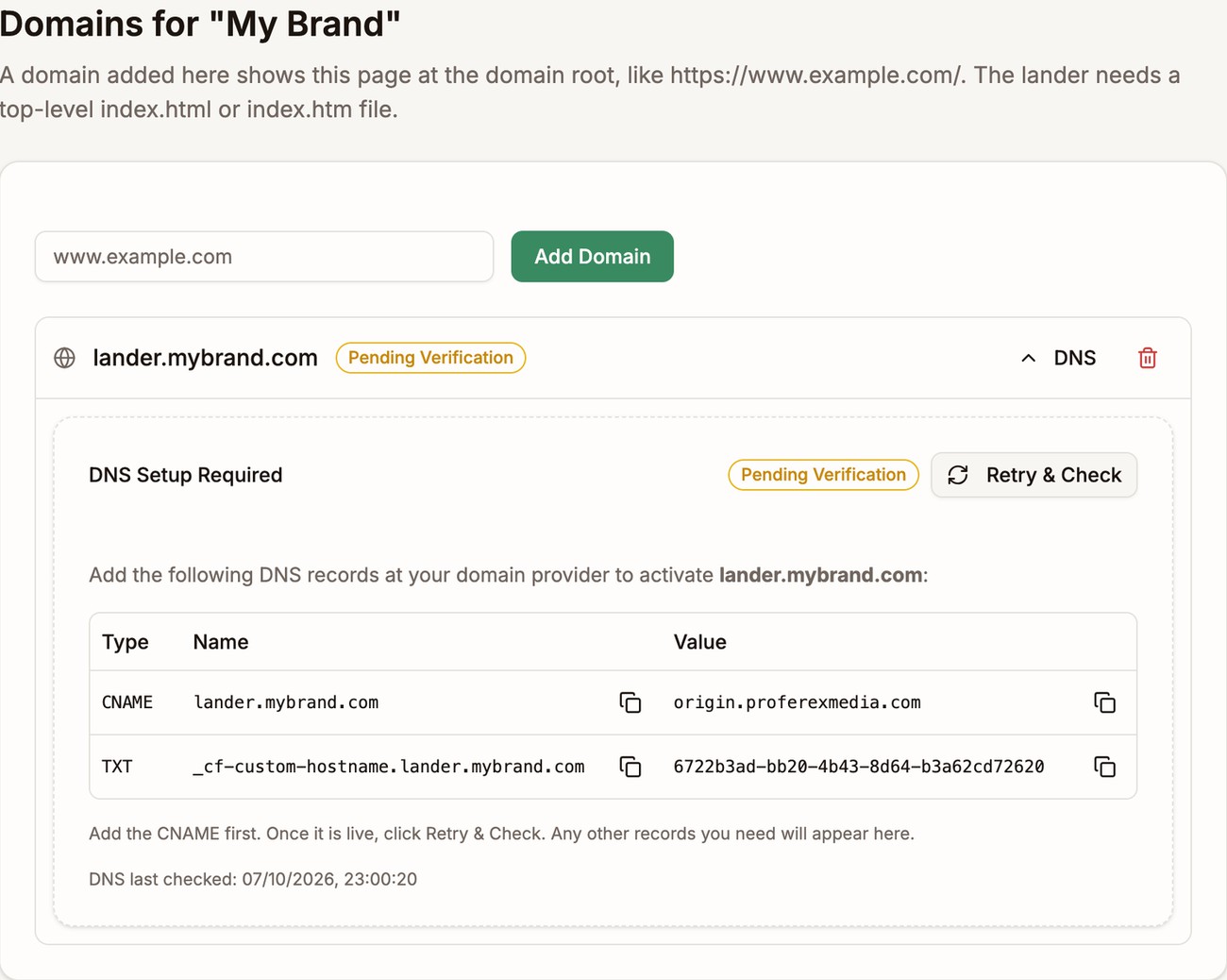
lander.mybrand.com, connected to one upload Wait for the status to reach Active. The https certificate is set up for you.
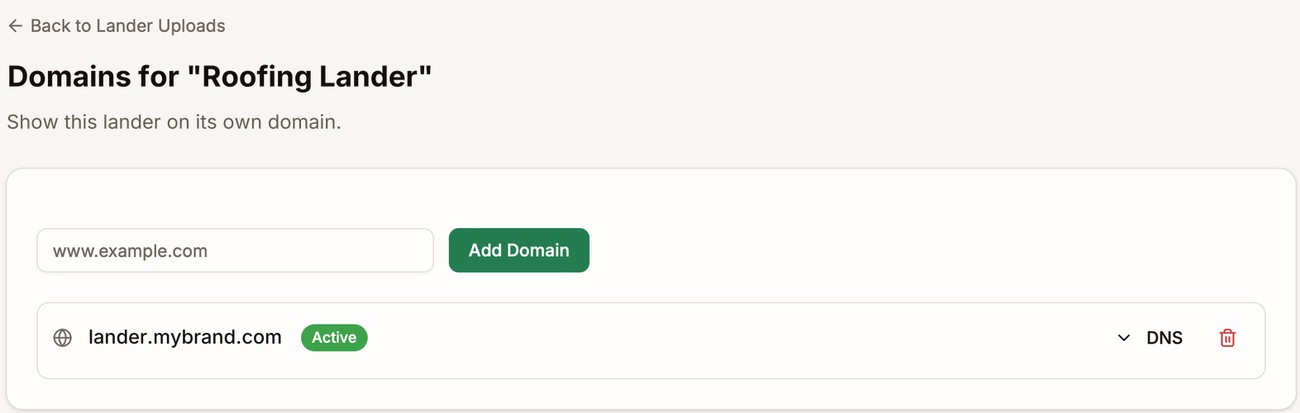
The domain is live
The records and statuses work the same way as for a page domain. For the full walkthrough and troubleshooting, see Page Domain.
A domain can belong to only one Proferex account. If it is connected to another account, remove it there first.
How addresses work
- Home page.
mybrand.comopens the upload's top-levelindex.htmlorindex.htm. - Other pages and files. Paths lead straight into the upload.
mybrand.com/pricingopens the pricing page, andmybrand.com/images/logo.pngopens that image. - No
.htmlneeded.mybrand.com/pricing,mybrand.com/pricing/, andmybrand.com/pricing/index.htmlall open the same page.
Only this upload
The domain shows this upload and nothing else. Your other uploads do not open on it, even by their slugs. They stay on your page domain, at addresses like pages.yourbrand.com/solar-savings.
Next step
Add the domain's address to a lander in the Tracker so its visits are tracked. See Landers.