Proferex for blogs
A blog your AI writes every day. You just approve.
Connect Claude, ChatGPT or Grok to your blog. It drafts the posts and sends them to you. You decide what goes live, on your own domain.
Our own site
LangFastPro, in three weeks.
LangFastPro is a free site where kids and parents learn languages through stories. Our bots write it, Proferex hosts it, and here's what happened once they got going.
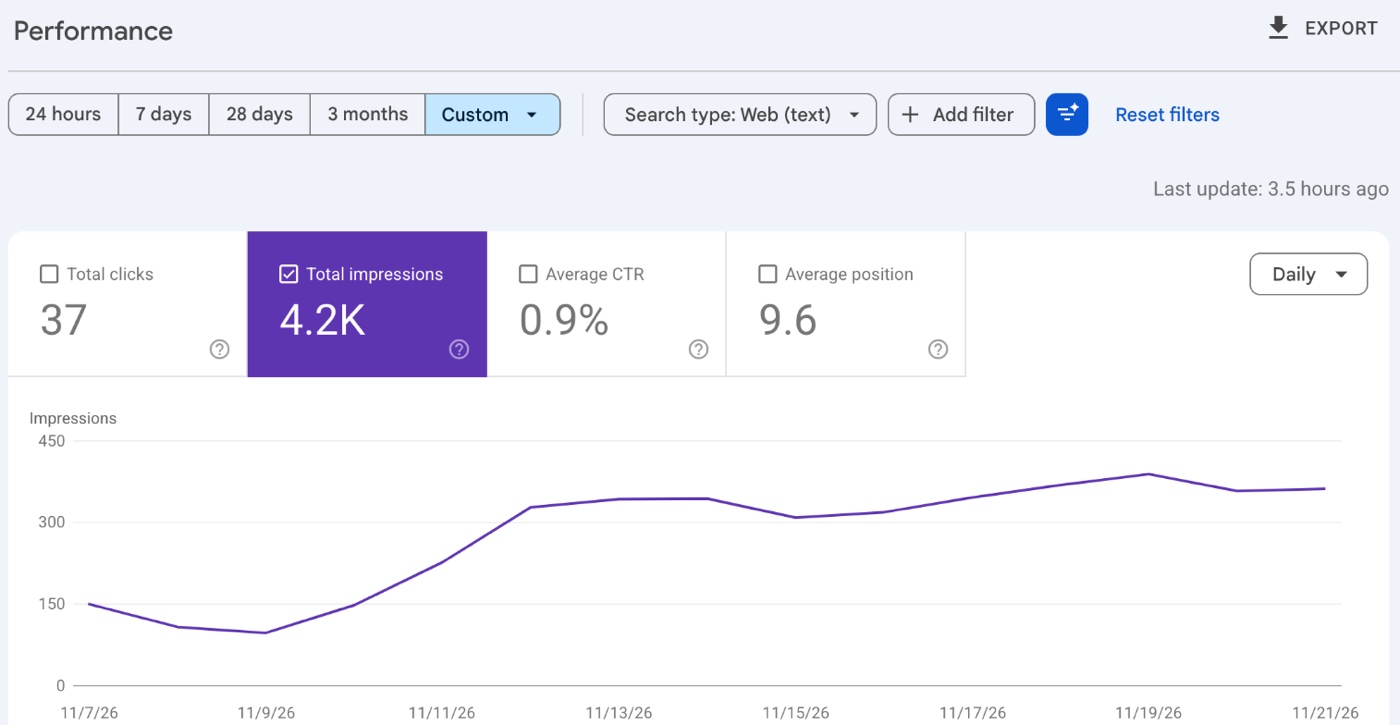

Whole-site numbers from 6 to 23 November 2026, from Proferex, Search Console and Ahrefs, written with Grok Bot and ChatGPT Dots. It's our site, not a promise about yours. Read the full story
The setup
How we run LangFastPro.
No team of writers. A Google Doc of rules, an AI on a schedule, and one person approving posts.
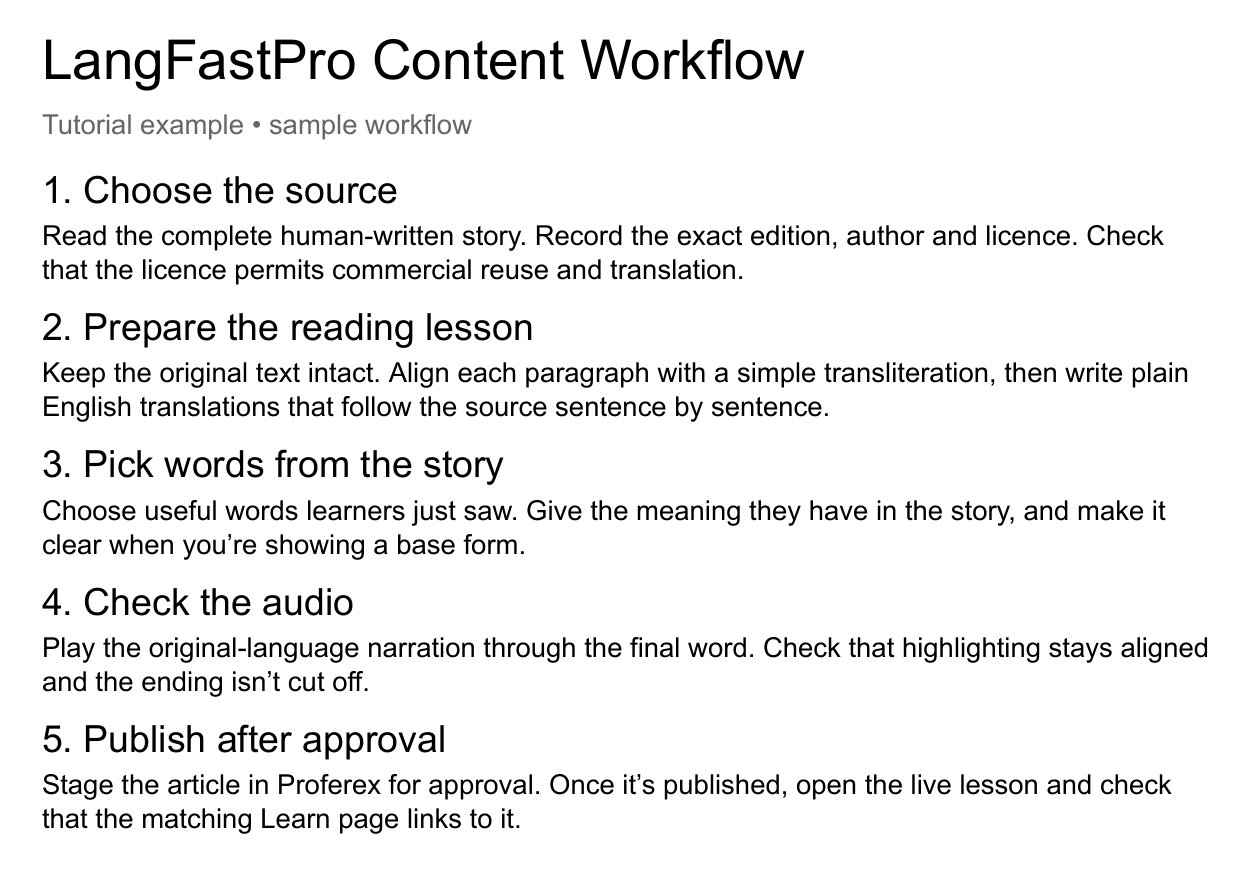
Write the rules once, in a Google Doc
Our Doc says where stories come from, how a lesson is laid out and what to check before anything is published. Grok reads it through Google Drive every time it writes, so the rules live in one place and we change them without touching any code.
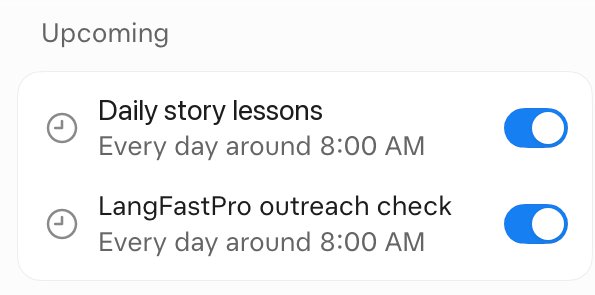
Let it run every morning
A scheduled task in Grok writes the day's story lessons at 8 AM. We don't open a chat to make it happen.
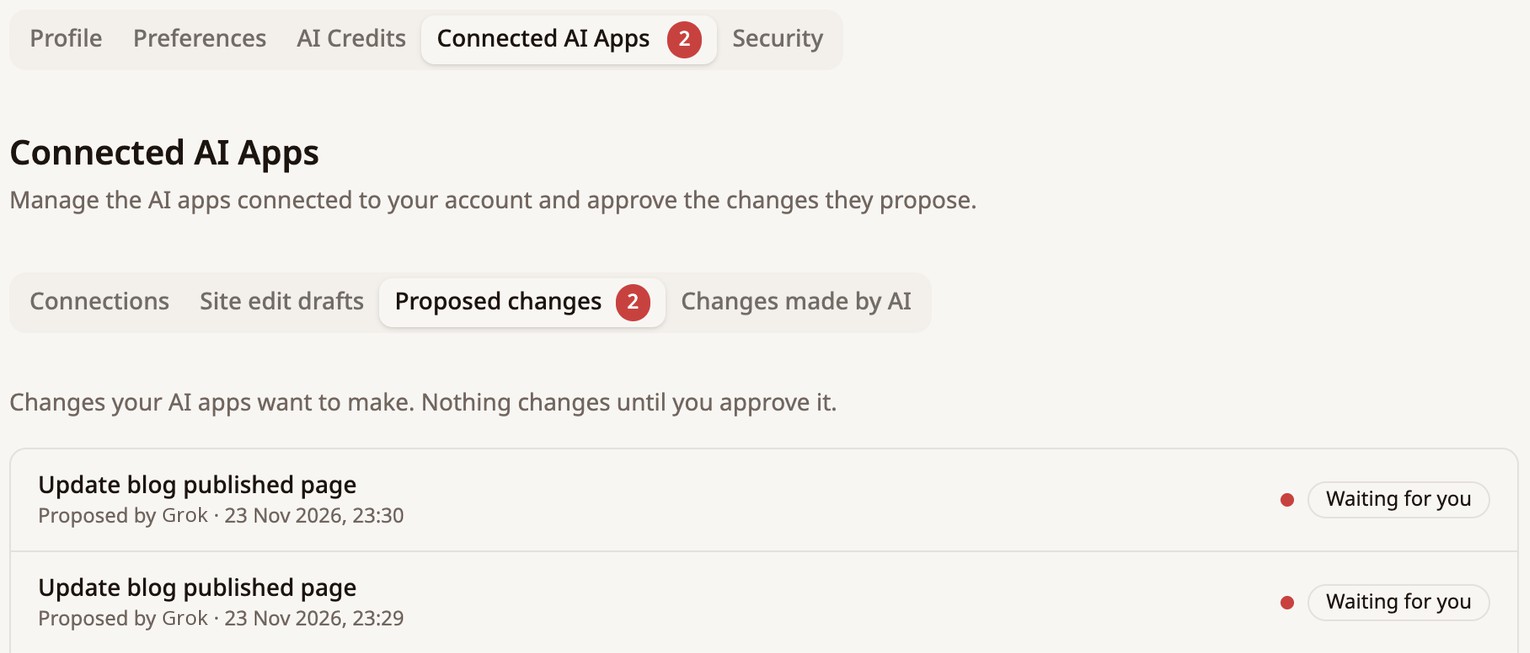
Approve what it sends
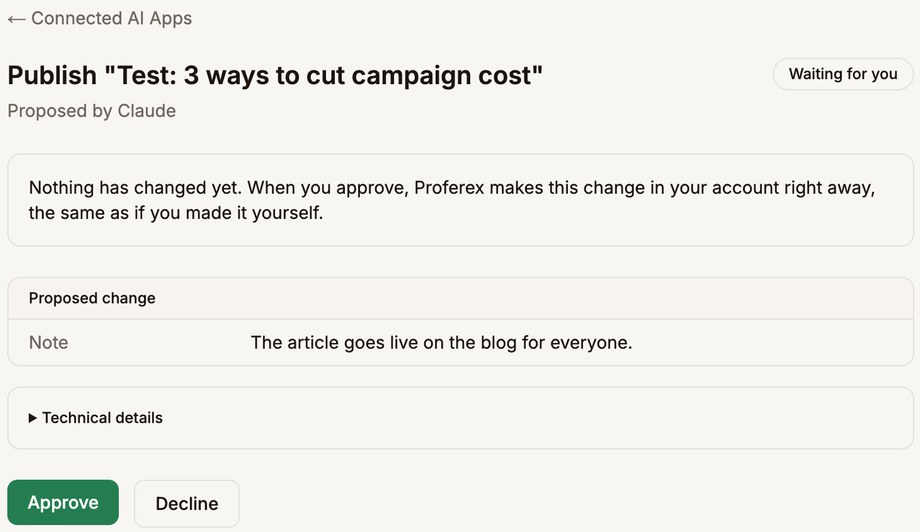
Each finished article waits in Proferex as a proposed change. We read it, approve it or decline it. Grok can't publish on its own.
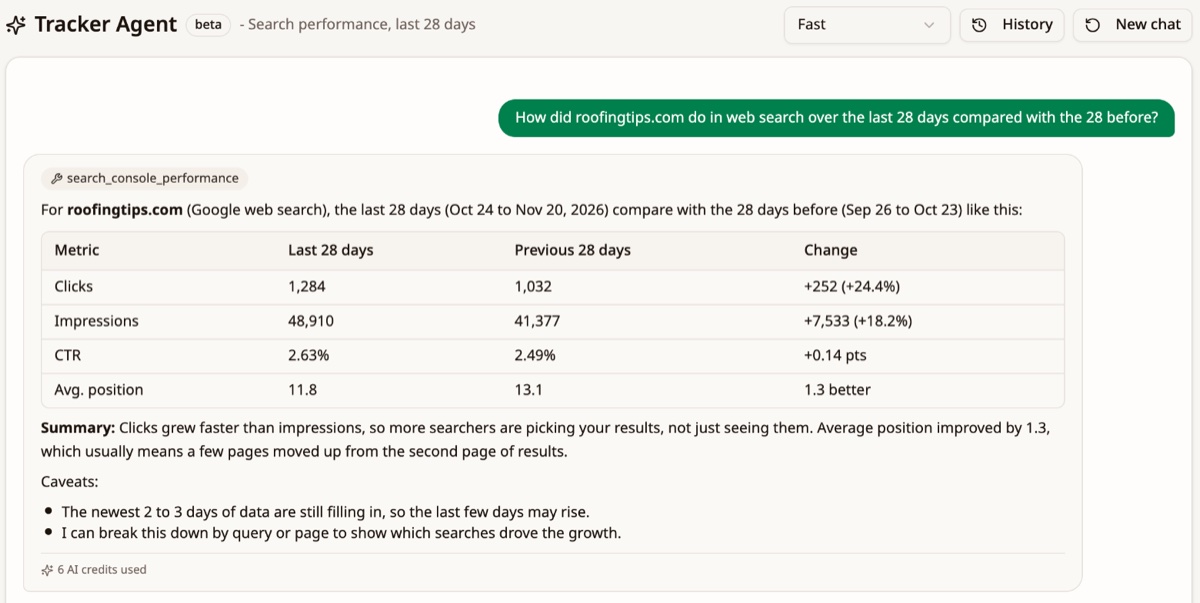
Ask Search Console what to write next
With Search Console connected, the AI sees which searches already show your pages and which ones rarely get the click. That's where next week's posts come from.
Read the full tutorial, with the Ahrefs research and the prompts →
How it works
Three steps, then it runs.
- 1
Create your blog
Pick a name and connect a domain, like blog.yourdomain.com. Already have a website? Show the blog at yourdomain.com/blog instead, with one rule on your server.
- 2
Connect your AI
Claude, ChatGPT and Grok connect with one address. Give it your writing rules once. A Google Doc works fine for that.
- 3
Approve what goes live
Your AI drafts and edits as much as it likes. Publishing waits for you: one click to approve, one to decline.

What you get
Everything a content site needs.
Your AI does the writing
It lists what's already on your blog, writes new drafts, fixes old ones and adds images. Run it by hand or on a daily schedule.
Nothing goes live without you
Publishing, editing a live post and deleting all wait for your OK in Proferex. Drafts are fair game.
Your domain, or under /blog
Use a domain of its own, or put the blog under a path of the site you already run. Links, the sitemap and search previews all use your address.
Fast on phones
Pages are served from Cloudflare close to your readers, and we keep them light. Google measures this, and it counts.
Search Console in your AI
Connect Google Search Console once. Then ask which pages get seen but not clicked, and what to write next.
Your own homepage and pages
Design a homepage, a guides hub or a landing page, with room for wide sections and cards.
Real authors
Bylines for you, your team or a guest writer, each with an author page.
Clicks you can follow
Send readers to an offer and track the click like any landing page. That's the tracker part, and it's already there.
And when you want more than a blog?
Proferex started as an ad tracker. So when you're ready to run ads to your posts, build landing pages or see which clicks turn into sales, you don't add another tool. It's already in your account, on the same plan.
See everything in ProferexFAQ
Straight answers.
Still have a question?
A person answers, not a bot.
Which AI apps work?
Claude, ChatGPT and Grok, plus any other app that supports MCP connectors. You connect it once with your Proferex address, and Proferex asks you to allow it.
Can the AI publish without me?
No. It can write and edit drafts on its own. Publishing, changing a live post and deleting all wait for your approval in Proferex.
Will AI-written posts be any good?
Only as good as what you give it. On LangFastPro we start from real, licensed stories and give the AI strict rules, then check what it sends. The post linked above shows the whole setup, mistakes included.
Can I keep my current website?
Yes. Put the blog on a subdomain like blog.yourdomain.com, or show it at yourdomain.com/blog by adding one rule to your server. We give you ready-made rules for Cloudflare, Nginx and Next.js.
Do I need to write code?
No. You type, or your AI does. Custom pages accept HTML if you want full control of the design.
What does it cost?
The blog is part of the Proferex plan, along with the tracker and landing pages. See the pricing on our homepage.
Start the blog your AI writes for.
Create it, connect your AI, and approve your first post today.
Start your blog