

 IX
IX
Billing
Your plan, credits, and payments.
This page shows you where to manage your Proferex subscription, and how to check the AI credits that come with it.
Manage your subscription
Click your name at the bottom of the sidebar and choose Billing.

Proferex opens your billing page at our payment provider, Stripe. There you can:
- Update your card or other payment method.
- See and download your invoices.
- Change or cancel your subscription.
For our plans and prices, see Pricing.
AI credits
AI credits pay for the Tracker Agent. Each reply uses credits for the work it does: a quick answer costs a little, and longer research costs more.
Your plan adds credits every month, including on yearly plans. Credits you don't use don't carry over.
To see your balance, click your name at the bottom of the sidebar. The menu shows your credits. For more detail, choose Account and open the AI Credits tab.
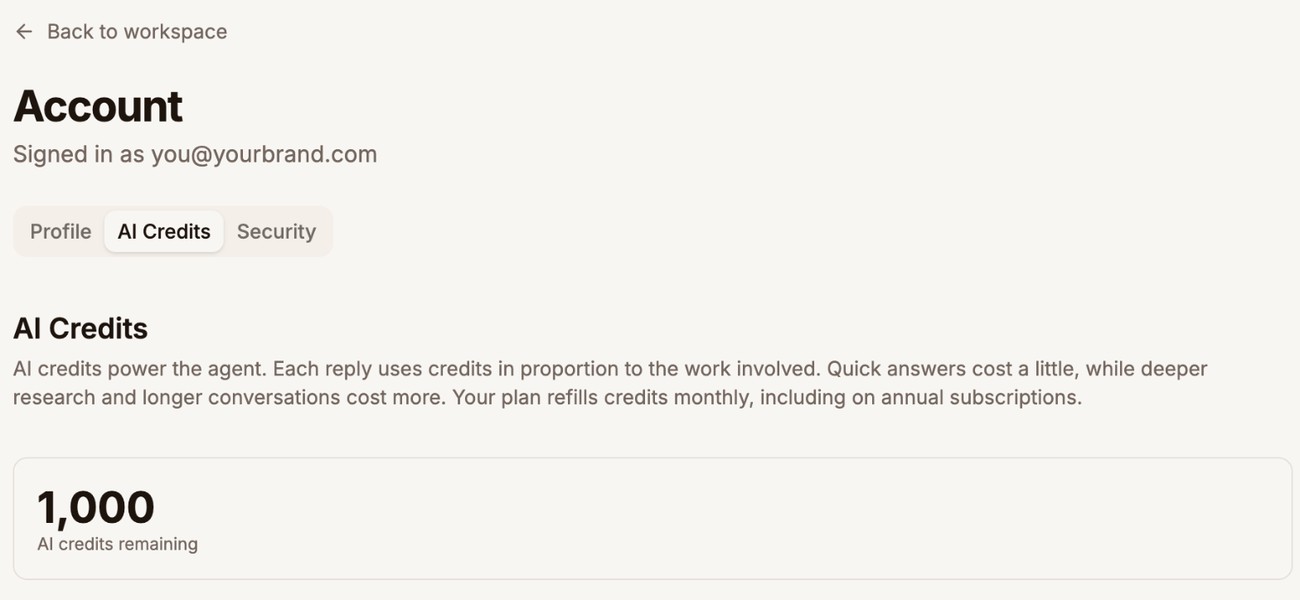
When your balance reaches zero, the Tracker Agent pauses until your next monthly refill. Contact us if you need it sooner.
Next step
Open Billing and check that your payment method is up to date.