
In this tutorial series, we'll go through how to run paid traffic to affiliate offers and make a profit.
First, we need a traffic source. This is where you buy traffic. There are many traffic sources out there, including Google and Meta (Facebook). We'll cover those in future tutorials. For this series, we'll use a traffic source called TrafficStars.
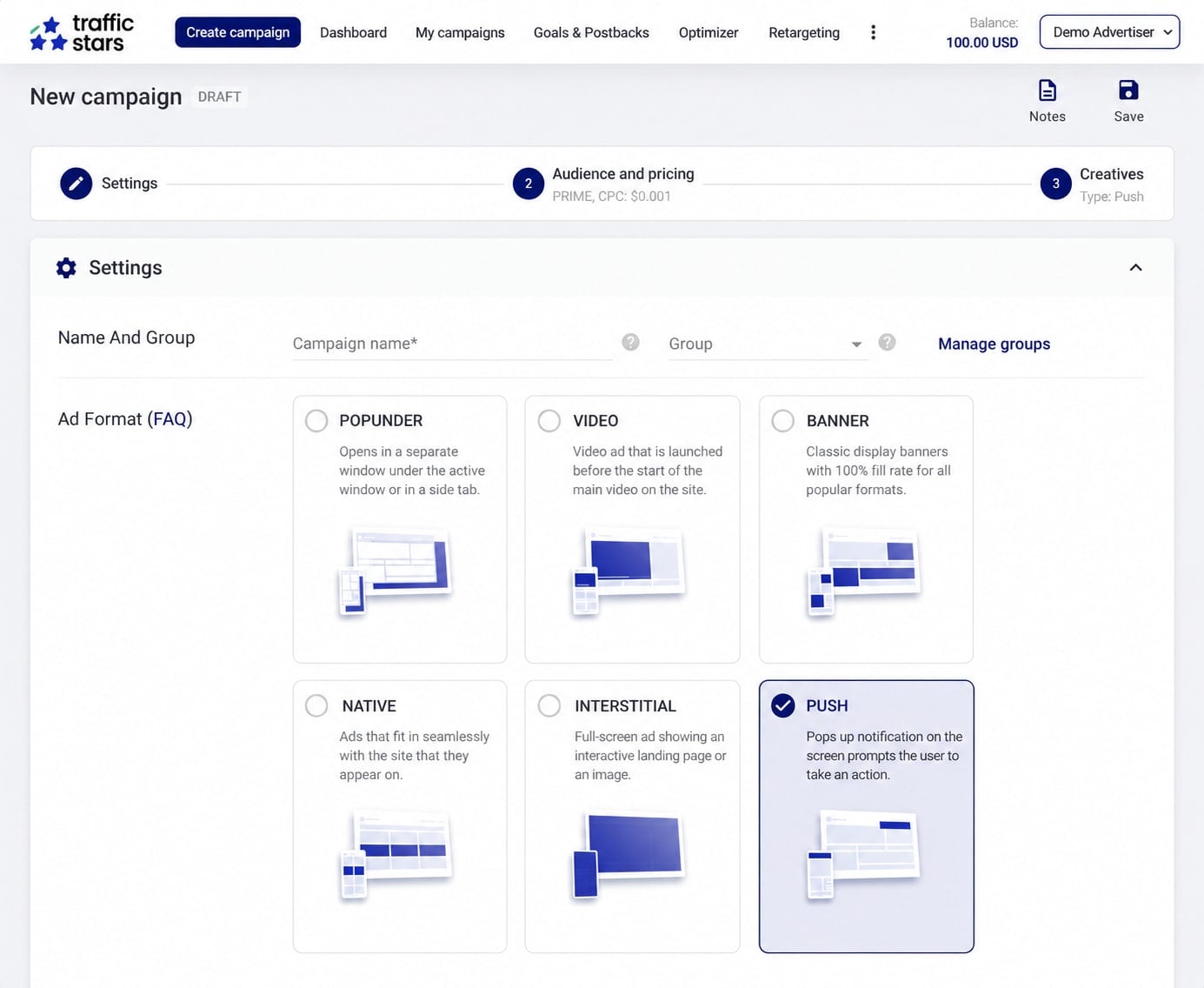
You'll run a bunch of ads on the traffic source. These ads will send visitors to your prelander and then to your offer. You pay the traffic source for these visitors, and this will be your main expense.
Next, we need an offer. The easiest way to find offers is through affiliate networks. There are many networks out there, and their job is to connect you with offers you can promote. When a visitor converts on one of these offers, you earn a commission. The affiliate network pays you this commission, which is your revenue.
You make a profit when the revenue you earn from those conversions is higher than the cost of buying traffic.
You also need a prelander. This is a page that gets visitors more interested in signing up for your offer or making a purchase. You'll need to host these pages somewhere, usually on a server.
Then you need to connect everything using a tracker. A good tracker lets you quickly split-test different offers and prelanders while you test different ads on the traffic source. This is how you optimize your funnel and work toward a positive return on investment (ROI).
Once you have funnels that make a decent profit, you scale them. Scaling a profitable funnel can increase your profits significantly. That's how you make bank with paid traffic.
A lot of beginners forget to set up a tracker or don't know how. This is a big mistake. When I started affiliate marketing a decade ago, setting up a tracker was one of the first things that really changed my results. A tracker shows you which parts of your funnel are working. Without tracking, your funnel can bleed money, and you won't know why. You won't know which site or ad sent the traffic, or even which country or device it came from!
A tracker fixes that, but only once it's wired up correctly. We'll go through the entire process of setting up your tracker in this series.
Another important part is campaign hygiene: keeping your campaigns organized so they're easier to optimize and scale. We'll cover that throughout the series too.
About this series
This is Part 1 of a series that takes one campaign from nothing to profit:
- How a campaign actually works (this post)
- Getting a CPA offer approved
- Landing page setup
- Tracker setup
- Buying traffic
- S2S postbacks
- Launching your first $100 campaign
- Reading stats and optimizing: kill or scale
- Scaling vertically and horizontally
Here's what we'll use for the campaign in this series:
| What we need | What we'll use |
|---|---|
| Offer | We'll use an iPhone 17 sweepstakes offer for visitors in the US. When someone signs up with their email, we earn $2.50. |
| Traffic | We'll buy mobile push traffic from TrafficStars and target visitors in the US. |
| Prelander | We'll use a "spin the wheel" page to get visitors interested in the offer. |
| Tracker | We'll use our tracker, Proferex. You can follow along with another tracker too. |
The five pieces
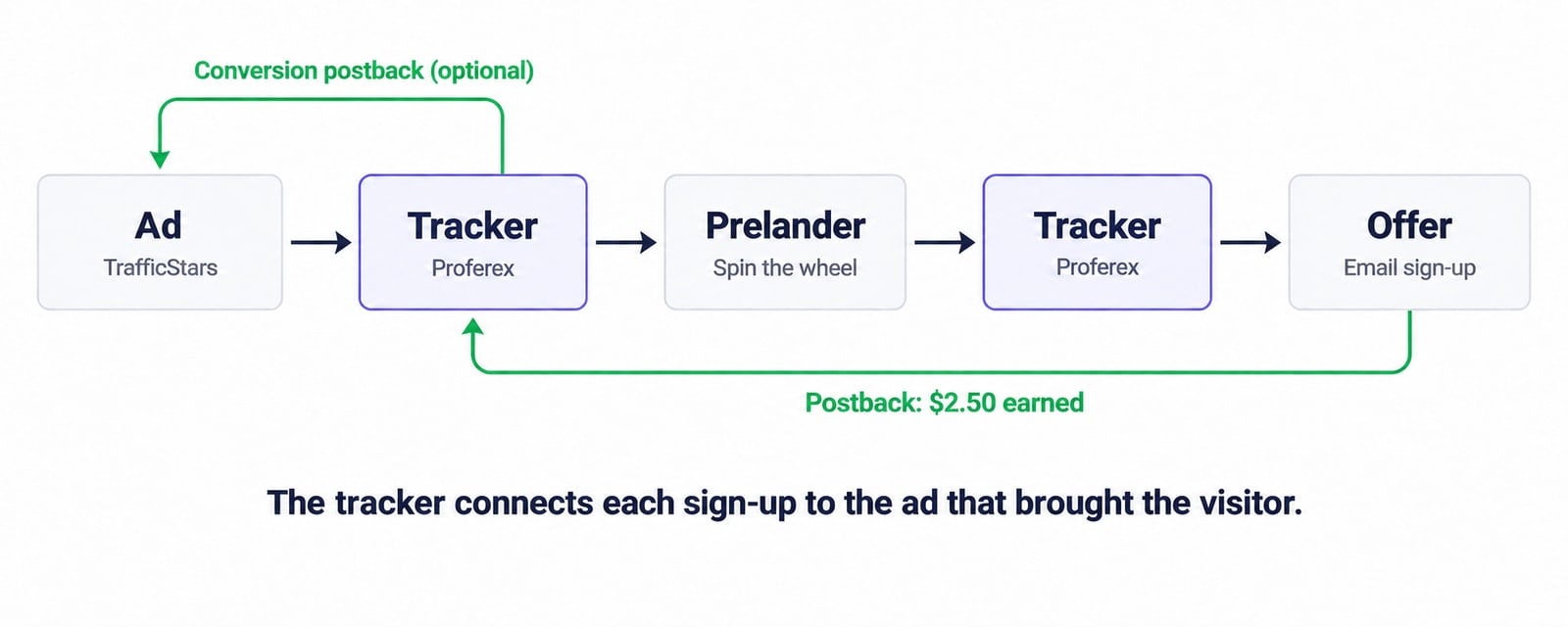
| Piece | What it does |
|---|---|
| Traffic source | This is where you buy traffic. You run your ads here, and when someone clicks an ad, they go to your tracker's campaign URL. We'll use TrafficStars. |
| Tracker | This connects everything. It records where each visitor came from, sends them to your prelander and then to your offer, and tracks whether they convert. |
| Prelander | This is the page visitors see before they get to your offer. You use it to get them interested in signing up or making a purchase. |
| Offer | This is what you're promoting. When a visitor completes the required action, such as signing up with their email, you earn a commission. |
| Postback | This is how the affiliate network tells your tracker that someone converted and how much you earned. Your tracker can then send a postback to the traffic source too, so it knows which clicks converted. |
When someone clicks your ad, they go through your tracker before reaching your prelander. When they click the button on your prelander, they go through the tracker again before reaching the offer. If they convert, the affiliate network sends that information back to your tracker, which can pass it on to the traffic source too. This is how you know which ad, prelander, and offer made you money.
Creating your campaign
To start buying traffic, you'll need to create a campaign in TrafficStars. This is where you add your ads, choose the countries and devices you want to target, and set your bids and budget.
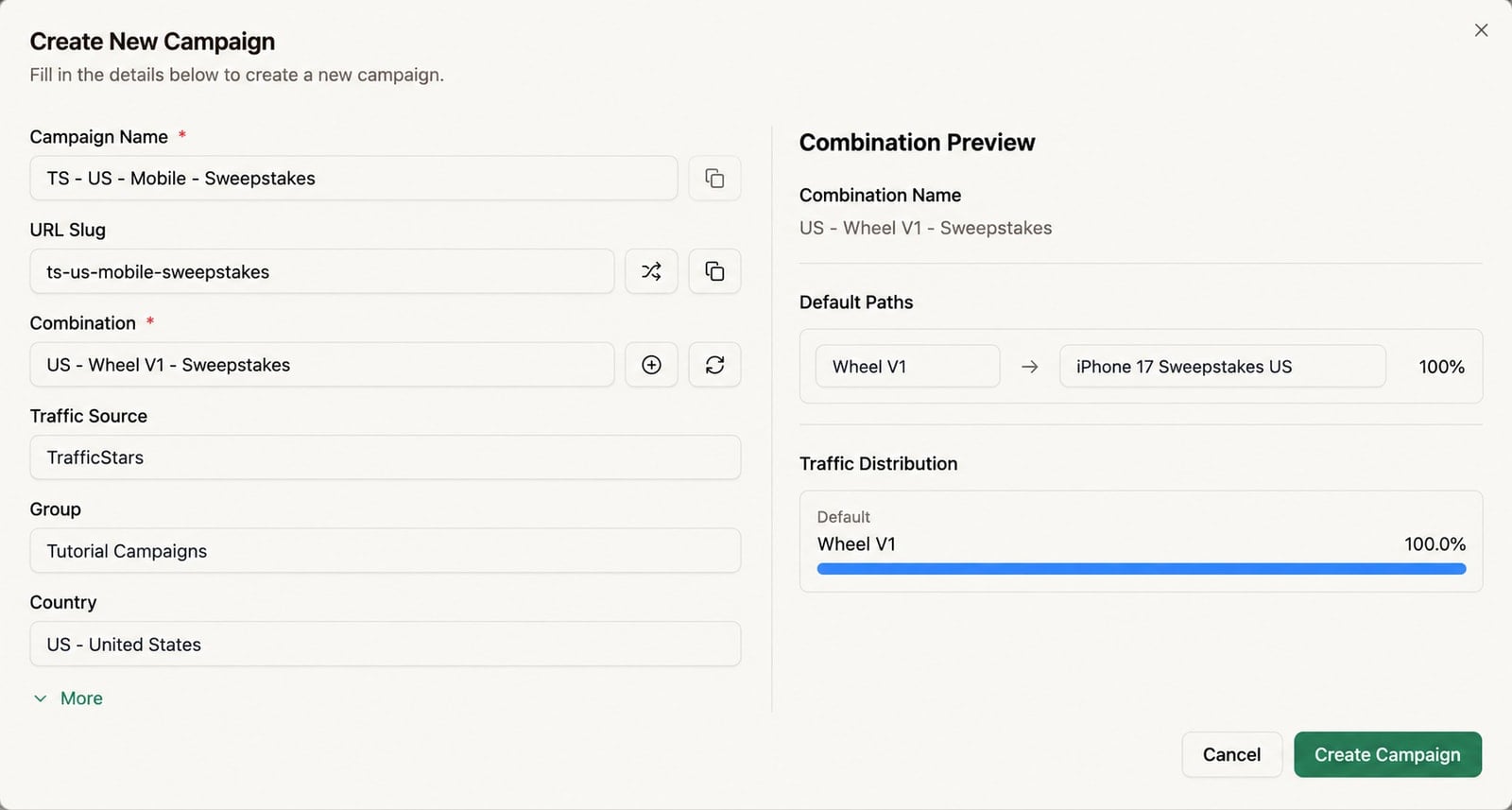
You'll also need to create a campaign in Proferex so you can track this traffic and send visitors to your prelanders and offers. For this, you first add your prelanders and offers to Proferex and connect them in a combination. A combination can include several prelanders and offers that you want to split-test.
Then you create your campaign, select this combination, and choose TrafficStars as the traffic source. Proferex gives you a campaign URL, which you copy and paste into TrafficStars as the destination for your ads. This is how you connect your ads to your tracker. We'll go through the setup in Part 4.
What happens when someone clicks your ad
Let's say someone in the US sees our sweepstakes ad on their phone and decides to click it. We'll go through what happens from that click until they sign up for the offer.
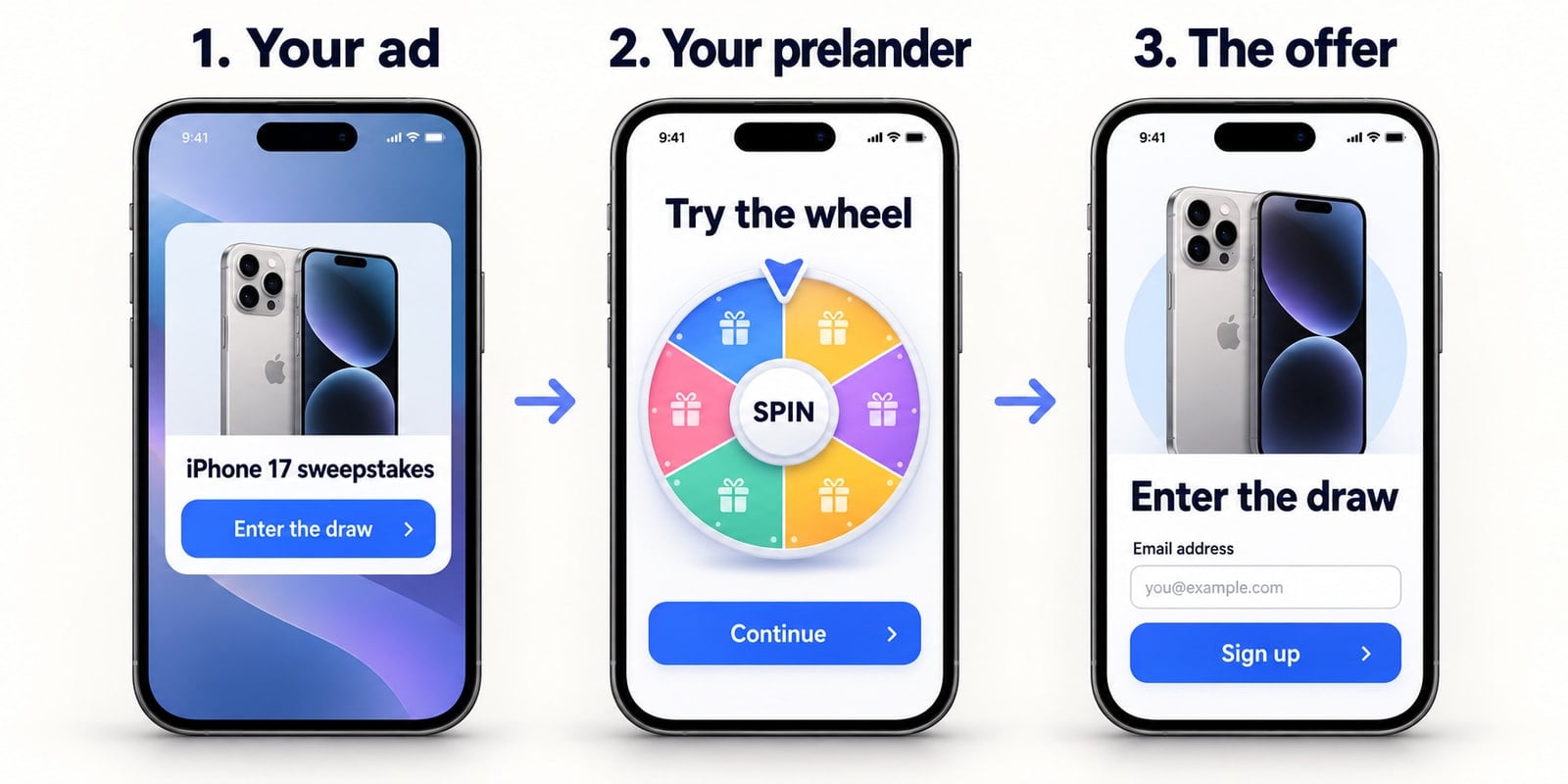
1. They click your ad
When the visitor clicks your ad, TrafficStars sends them to your campaign URL. It also passes information about which ad they clicked and where the ad was shown. You'll see this referred to as the site or placement in your reports.
Your tracker records the visit along with this information and details such as the visitor's country and device. It then selects a prelander and offer from the combination you've set up, and the visitor sees the prelander.
2. They go through your prelander
The visitor sees our spin-the-wheel page. They spin the wheel and click the button to continue to the offer. This button takes them through the tracker again, so it can record that they clicked through from the prelander before sending them to the offer.
You'll be able to see how many people visited your prelander and how many clicked through to the offer. This is your prelander's click-through rate, or CTR. For example, if 1,000 people visit the page and 200 click through, your CTR is 20%.
3. They sign up for the offer
The visitor reaches the sweepstakes page and enters their email. If the affiliate network accepts the sign-up, we earn $2.50. This is the conversion we're getting paid for. Spinning the wheel or clicking the button on our prelander doesn't earn us anything by itself.
The action you get paid for depends on the offer. Some offers pay for an email sign-up, while others pay for a purchase or an app install. You'll need to check this with your affiliate network before promoting an offer.
How your tracker records the conversion
Your tracker gives each visit a unique ID, called a click ID. When it sends the visitor to the offer, it includes this ID in the offer link, and the affiliate network saves it.
When the visitor converts, the network sends this ID back to your tracker along with how much you earned. This is called an S2S (server-to-server) postback. Your tracker uses the ID to find the visit and record the $2.50 in revenue against it. You can then see which ad, site, prelander, and offer brought in that revenue.
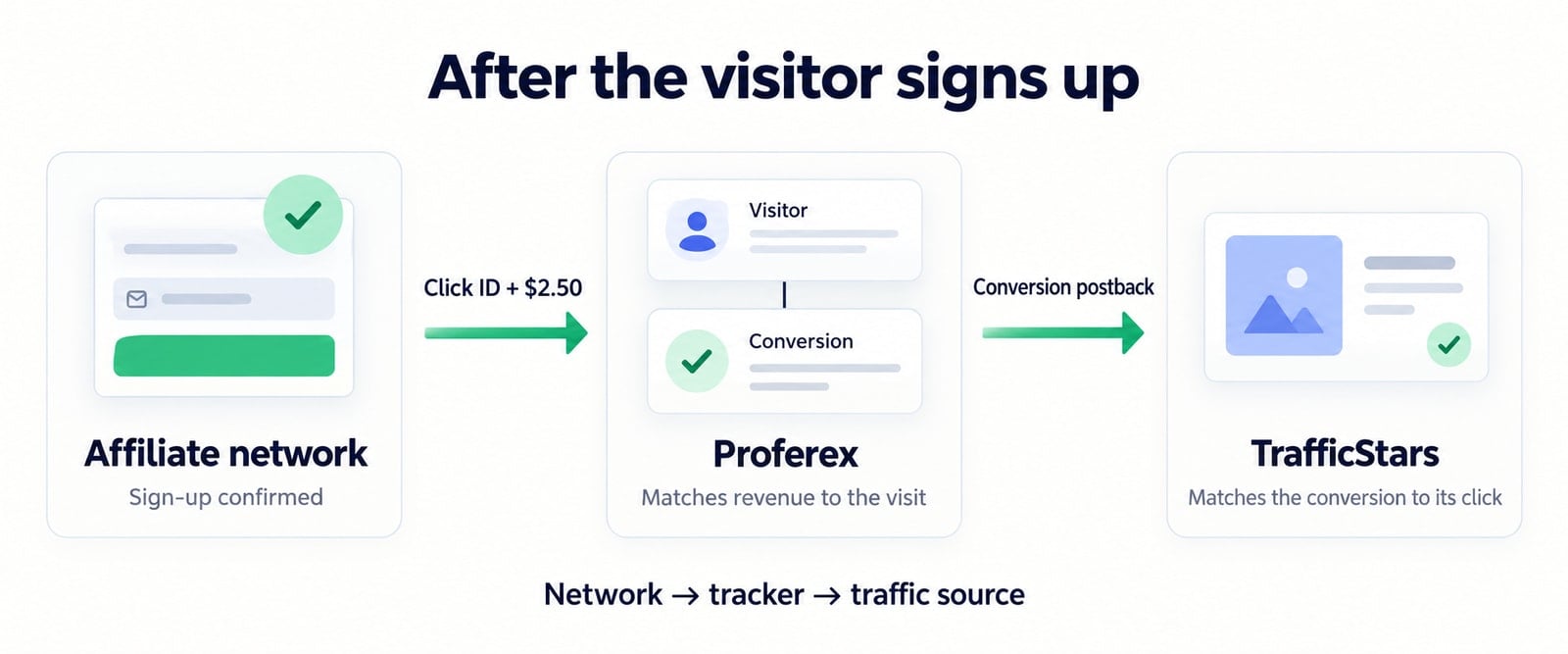
You'll also want to send conversions back to TrafficStars so you can see them in its dashboard. You do this by setting up a postback from your tracker to TrafficStars.
TrafficStars has its own click ID, which your tracker saves when the visitor first arrives. The tracker sends this ID back to TrafficStars when reporting the conversion. So the tracker uses its own ID to match the network's conversion to a visit, and TrafficStars' ID to report that conversion back to the traffic source.
These postbacks happen between the servers, which is why they're called server-to-server, or S2S, postbacks. We'll go through setting up both of them in Part 6.
How you know whether you're making a profit
You'll pay for a lot of visitors who leave without signing up. The revenue from the people who do sign up needs to cover the cost of all the traffic you bought.
Let's say we buy 1,000 visits at an average cost of $0.05 each. That's $50 in traffic. Of those visitors, 200 click through to the offer, and 30 sign up.
| What happened | Result |
|---|---|
| Visitors you paid for | 1,000 |
| Visitors who clicked through to the offer | 200 |
| Accepted sign-ups | 30 |
| Traffic cost | $50 |
| Revenue: 30 sign-ups at $2.50 each | $75 |
| Profit after traffic cost: $75 minus $50 | $25 |
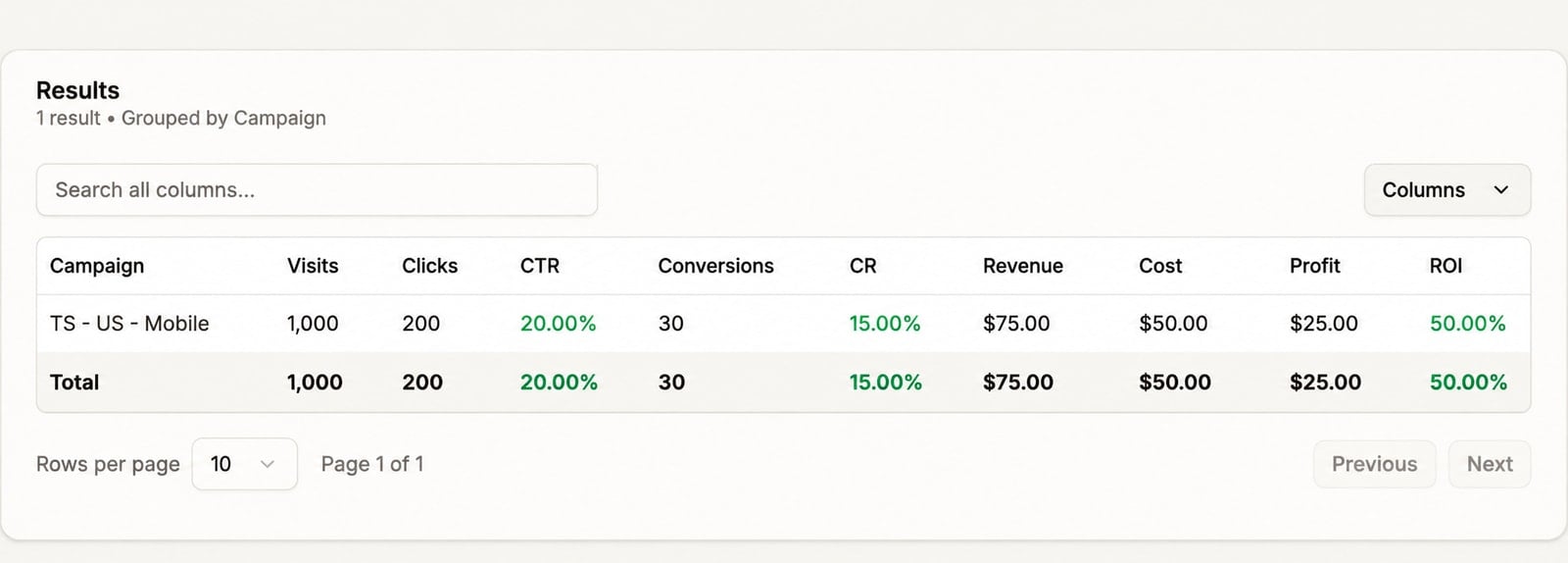
We've spent $50 and earned $75, so we've made $25 after paying for traffic. That's a 50% ROI on our traffic spend: $25 in profit divided by $50 in traffic cost. You'll also have expenses such as your tracker and hosting, which you need to account for when working out your overall profit.
You need to have the correct traffic cost in your tracker so you can compare what you're spending with what you're earning. Otherwise, you could be getting plenty of conversions and still losing money.
Using your stats to optimize
You'll be running a bunch of ads, and you need to look at how each one performs. Let's say those 30 sign-ups came from Ad A. We also spent another $50 testing Ad B, but that ad only brought in 12 sign-ups.
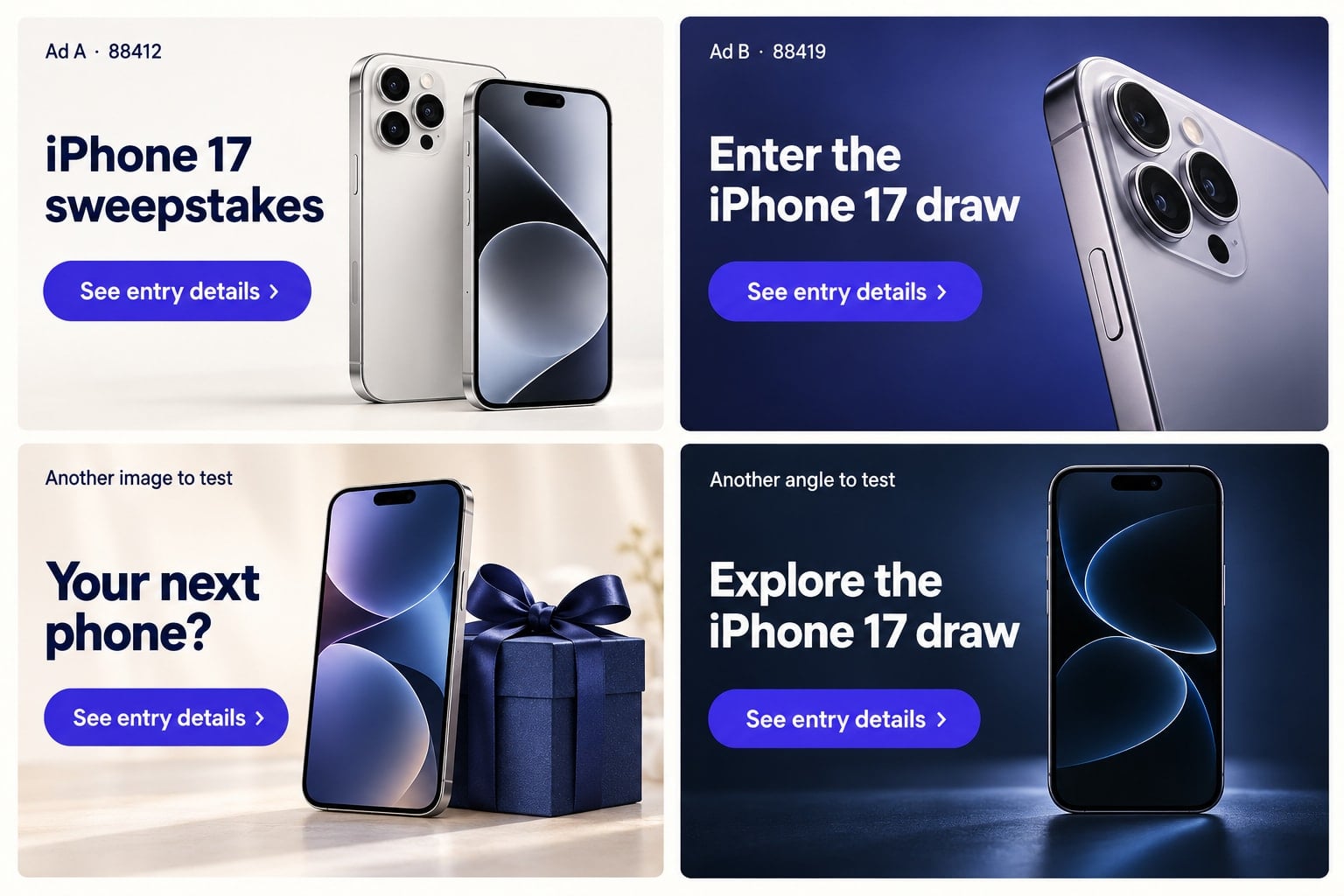
| Ad | Traffic cost | Conversions | Revenue | Profit after traffic cost |
|---|---|---|---|---|
| Ad A | $50 | 30 | $75 | $25 |
| Ad B | $50 | 12 | $30 | -$20 |
| Total | $100 | 42 | $105 | $5 |
In the Proferex report below, creative 88412 is Ad A and creative 88419 is Ad B.
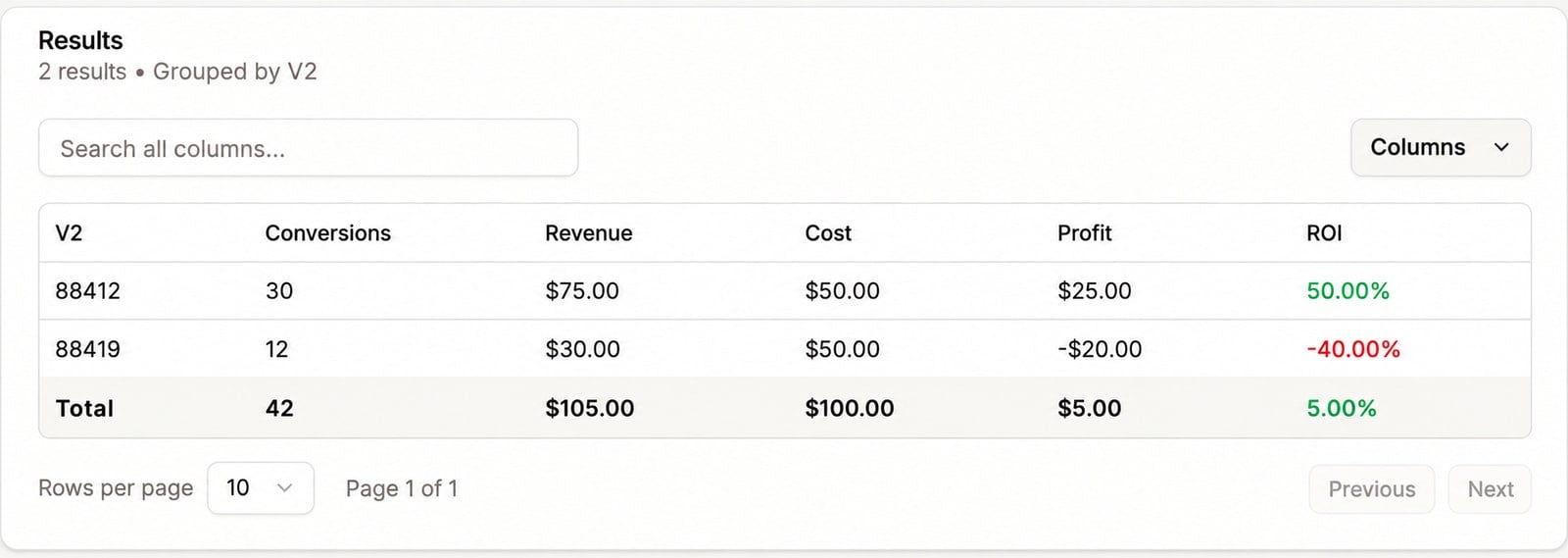
Together, these ads cost us $100 and earned $105. If you only looked at the campaign total, you would see just $5 in profit. But Ad A made $25, while Ad B lost $20. You need to look at the ads individually to see this.
We can now consider stopping Ad B and testing new ads against Ad A. We'll go through how much data you need before making these decisions in Part 8.
You'll do the same with your prelanders and offers. You can send traffic to different prelanders and compare how much money each one makes. You can also test different offers with the same prelander. A page may get a lot of people to click through, but if those people don't sign up for the offer, those clicks won't make you money.
The sites and placements you buy traffic from matter too. You might make a profit from traffic on one site and lose money on another. Your tracker lets you see this, so you can go back to the traffic source and adjust where you're buying traffic. You can also compare devices and, if your offer allows multiple countries, see how each country performs.
Once you have a campaign that keeps making a profit, you can start increasing your budget and testing ways to get more traffic. You'll need to keep checking your stats as you scale to see whether the extra traffic is still profitable. We'll cover that in Part 9.
Before you start spending
Before launching your campaign, you'll need to test the setup. Check that your campaign URL takes visitors to the right prelander, that the button takes them to the offer, and that both the visit and the click through to the offer show up in your tracker. You'll also need to test both postbacks so conversions are recorded in your tracker and sent back to the traffic source.
We'll go through these checks as we set everything up in the later tutorials.
Next up
Next, we'll go through getting a CPA offer approved. We'll look at finding an affiliate network, choosing an offer, and checking that we're allowed to use the traffic source and prelander we have in mind.